APPLICATION SCENARIOS
See how spatial information becomes an interactive decision experience
Explore how the completed app turns suitable floor plans into interactive 3D scenes and supports home planning, design communication, material comparison and SPACE-6 analysis. Concept examples are clearly labelled where they are not customer projects.
VISUAL STORY
Explore the completed app experience
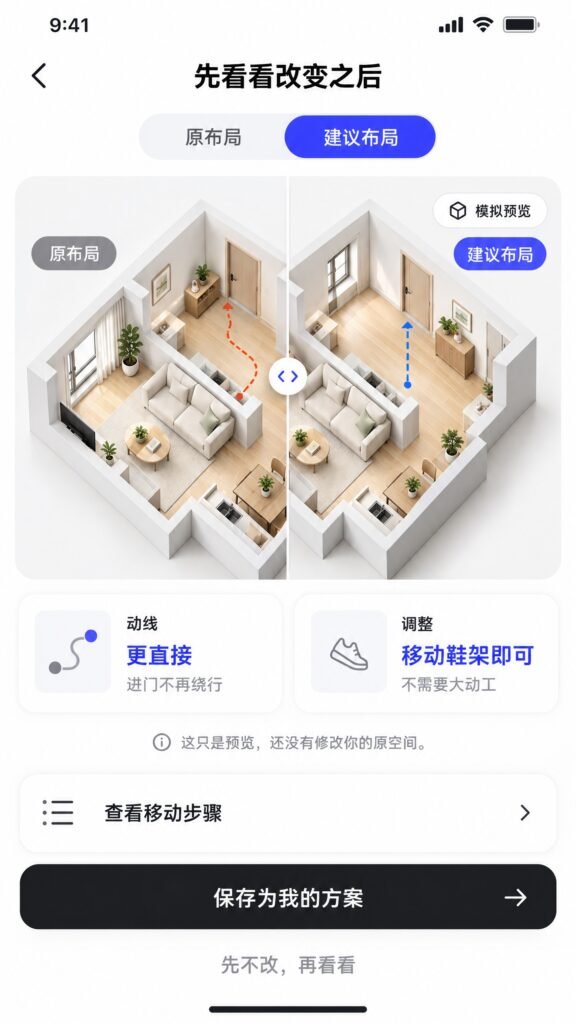
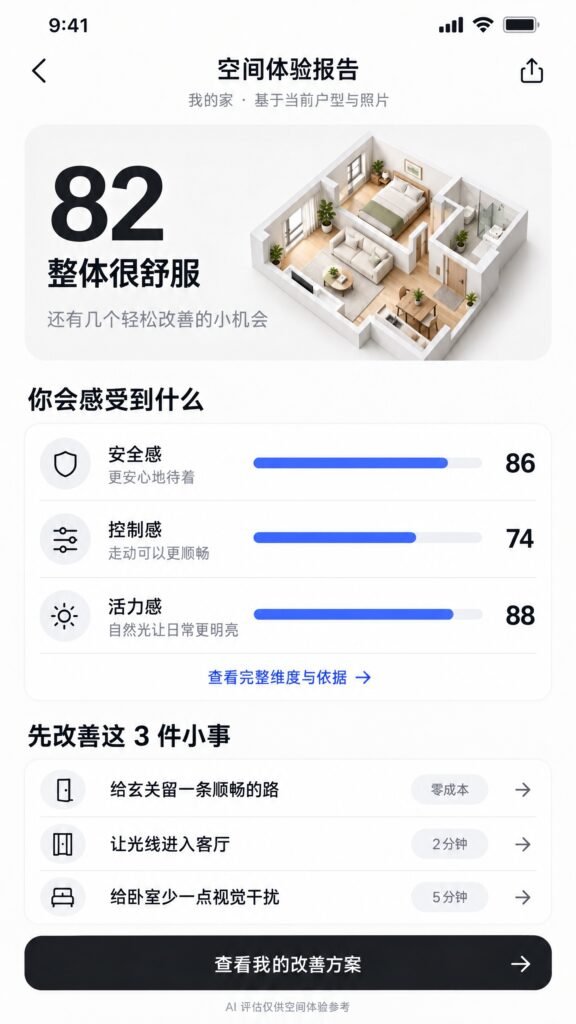
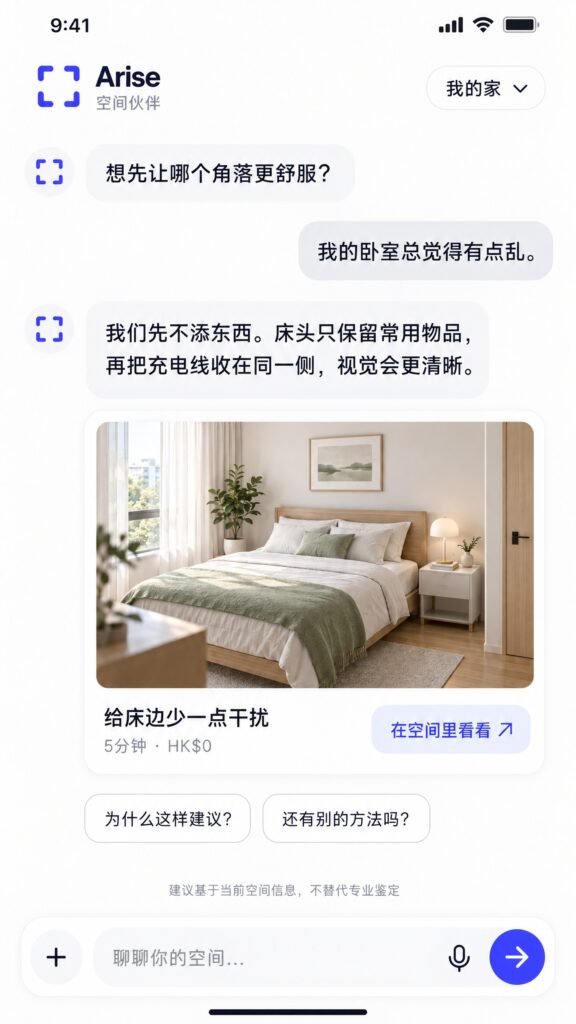
Product screens make the completed experience easier to understand, from creating a space to comparing design and spatial-experience options.
What this page helps you understand
01
Floor plan to interactive 3D scene
02
Living-room and dining-room circulation review
03
Material and atmosphere comparison
04
SPACE-6 spatial experience prompts
FREQUENTLY ASKED QUESTIONS
Questions before you enquire
Are concept cases customer projects?
No unless specifically stated. Concept cases show product direction and interaction design.
Can users upload any floor plan?
Input quality, scale, dimensions and format affect results. Some plans require confirmation or preparation.
Can designers use the output?
The workflow is intended to support exploration and communication; professional designers remain responsible for design and technical decisions.
Not sure where to start?
Tell us the property, project or spatial problem first. We will help identify the most relevant next step.